HVAC · Gas furnace · virtual skills lab
No heat. The igniter
never glowed.
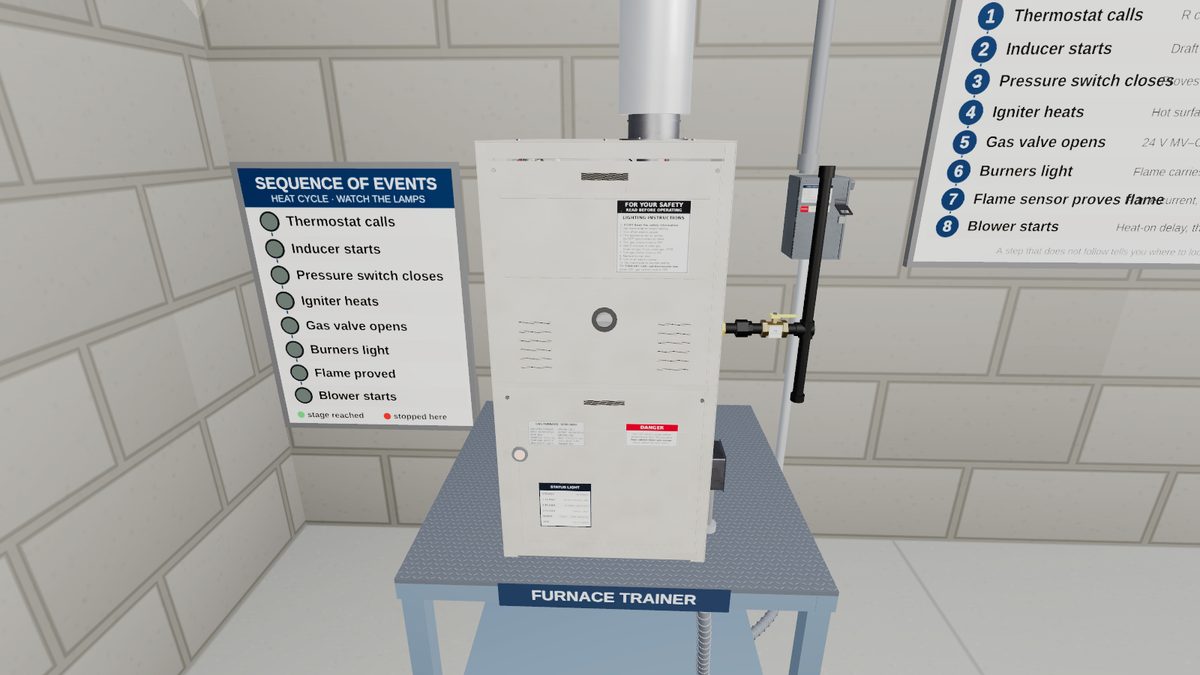
The furnace calls for heat, the inducer runs and nothing lights. Watch the sequence of operation, find the step where it stops, check power and polarity at the board, make the furnace safe and test the igniter before you replace it.
- 30graded steps
- ~20minutes
- 80score to pass
The job
What you do in this lab
- Set the thermostat to heat, pull the access panels, hold the door interlock and watch the sequence.
- Decide where the sequence stopped and check L1 to N, L1 to ground and N to ground at the board.
- Turn the service switch off, lock and tag it out, and verify the circuit dead.
- Unplug the igniter and read it on ohms.
- Remove and install the igniter by its ceramic base, never by the element.
- Restore power, watch a normal heat cycle, check supply air and record the job.
Skills practiced
What it builds
- Furnace sequence of operation
- Power and polarity checks
- Lockout and tagout
- Resistance testing
- Igniter handling and replacement
- Heat-cycle verification
Every action is scored as you work. Wrong tools, skipped safety steps and wrong readings cost points, and the questions along the way ask why, not just what.
How to play
Browser or headset
In a browser
Open the lab on a laptop or desktop in Chrome, Edge or Safari. Look around with the mouse and click to act. On a touchscreen tablet the lab switches to touch controls. The lab is a large download, so give it a moment on the first load.
In VR
On a Meta Quest, open the Quest browser and go to titanlearning.com/vr/hot-surface-igniter. Choose Play it in your browser, then Open in VR inside the lab, then Enter VR in the tab that opens. Use the controllers, or put them down and point and pinch with your hands.
For schools
Train on labs like this every week
This lab is one of the virtual skills labs built into Titan Learning programs. Learners practice the work between lessons, and instructors see every attempt and score. A headset is optional.