Data center · Rack power · virtual skills lab
One breaker tripped.
Find out why before you reset it.
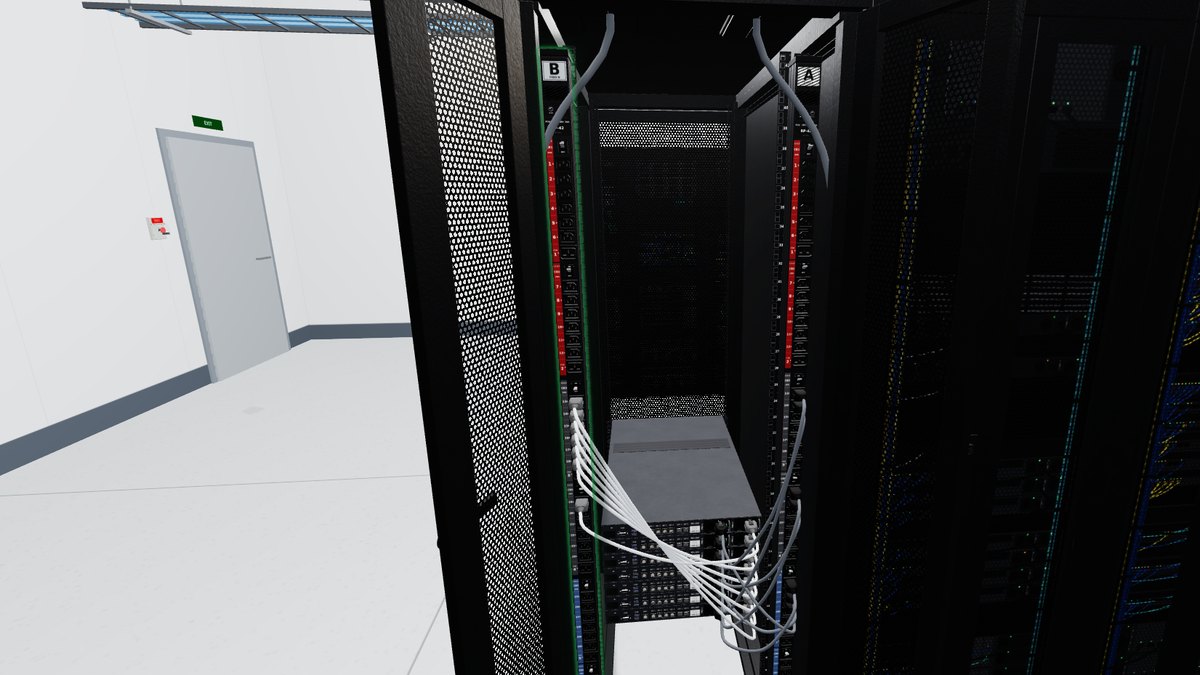
Incident INC-3381: branch breaker CB3 on PDU B of cabinet C-07 tripped while the A feed was off for maintenance, and A goes off again tonight. Read the PDU’s alarm and its branch loads, trace the six cords on the tripped branch and work out what it was carrying. Move two cords to a lightly loaded branch so both stay inside the site’s loading rule, reset the breaker, prove every power supply is back on both feeds and close out the ticket.
- 22graded steps
- ~15minutes
- 80score to pass
The job
What you do in this lab
- Put on PPE and read the incident ticket: what tripped, when, and the site’s branch loading rule.
- Find the EPO station on the way in, and say when it is used.
- Open the rear of the cabinet and read PDU B’s alarm: whose fault is it, and whose fix?
- Find the tripped branch breaker, read the branch loads and trace the cords on that branch to their servers.
- Work out why it tripped, plan the rebalance and move two cords to another branch.
- Reset the breaker, read the loads again, check every power supply light and record the fix.
Skills practiced
What it builds
- Reading an incident ticket
- A and B power feeds
- Rack PDU alarms and branch loads
- Branch load calculation
- Rebalancing and breaker reset
- Verification and close-out
Every action is scored as you work. Wrong tools, skipped safety steps and wrong readings cost points, and the questions along the way ask why, not just what.
How to play
Browser or headset
In a browser
Open the lab on a laptop or desktop in Chrome, Edge or Safari. Look around with the mouse and click to act. On a touchscreen tablet the lab switches to touch controls. The lab is a large download, so give it a moment on the first load.
In VR
On a Meta Quest, open the Quest browser and go to titanlearning.com/vr/tripped-pdu-breaker. Choose Play it in your browser, then Open in VR inside the lab, then Enter VR in the tab that opens. Use the controllers, or put them down and point and pinch with your hands.
For schools
Train on labs like this every week
This lab is one of the virtual skills labs built into Titan Learning programs. Learners practice the work between lessons, and instructors see every attempt and score. A headset is optional.